Zero Line Drone Upgrades Guide
What each module does in FPV combat, what to buy first, and when skins can wait.
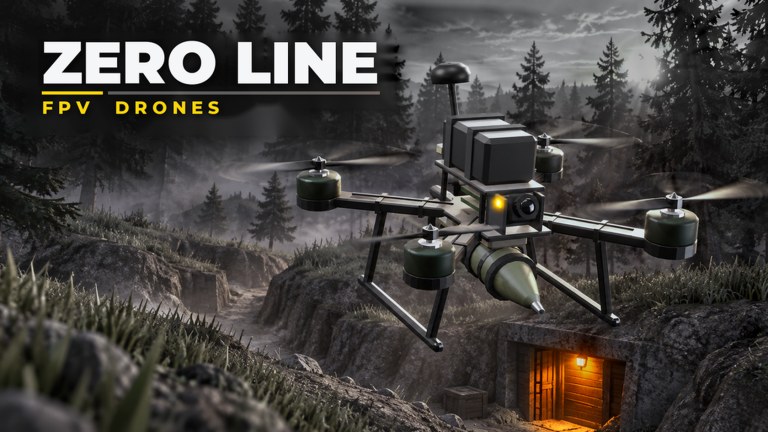
Upgrades decide whether your Zero Line sorties end in a clean kamikaze or a dead battery over empty ground. Pushpin Gaming’s FPV combat loop revolves around a small drone roster—three drones in the current design—and a shared module board: batteries, propellers, antennas, night vision, and thermal cameras, plus cosmetic camo skins and outfits. Cash comes from kills, mission payouts, and the Pushpin Gaming group’s +20% cash bonus. This guide explains what each module does in first-person combat and the order that wastes the least money.
Pair this page with the condensed ranking on upgrade priority and the airframe comparison on drones. New pilots should still finish getting started and learn binds from controls before dumping every coin into cameras.
Batteries — buy these first
Batteries extend airtime. In FPV kamikaze play, airtime equals attempts: more seconds on station means more chances to correct a dive, chase a truck around a building, or win a turning fight against another drone. Early batteries also forgive beginner mistakes—overshooting a helicopter, pausing to toggle thermal, or climbing to reset an approach.
Spend on batteries until you can complete a typical combat loop without the low-power warning ending the run. If you constantly crash because you rushed a dive with five seconds left, you do not need a prettier skin—you need another battery tier. Mission farming on the missions and levels track also becomes smoother when you are not landing every ninety seconds.
Propellers — speed and climb after batteries
Propellers improve how quickly you close distance and how hard you can climb out of a failed pass. Trucks and helicopters do not wait for slow drones. After your battery can support a full hunt, put cash into propellers so you can intercept moving vehicles and reposition after an enemy drone shoots at you.
Propellers also change kamikaze geometry. Faster closing speed shortens the enemy’s reaction window but reduces the time you have to steer. Practice the new speed in a quiet corner before you take upgraded props into a crowded 18-player server. The flight habits in how to fly FPV assume you will retune approach angles every time propeller tiers jump.
Antennas — range feel and control reliability
Antennas matter once you stop fighting at point-blank range. A stronger antenna package helps the drone remain responsive when you scout farther from spawn, orbit a target, or chase across open ground. Think of antennas as the upgrade that protects the investment you already made in batteries and propellers: lost signal mid-dive wastes both.
You do not need max antennas on day one. Buy the first meaningful tier after battery and propeller feel playable, especially if you notice sluggish response at distance. Antenna value rises again when weekly missions ask for specific long-range destroys or when you start hunting helicopters that refuse to fly over your spawn.
Night vision — darkness and shadow work
Night vision helps when the map lighting drops or when targets hide in shadow. It keeps terrain readable so you do not kamikaze a wall you never saw. Night vision is not a heat highlighter; it is a low-light clarity tool. Buy it when you actually play dark sessions or when you keep losing drones to invisible geometry at dusk.
Toggle discipline matters. Learn the vision bind from the controls guide and practice flashing NV on only when you need it. Leaving any vision mode glued on can wash out daytime contrast and make enemy drone silhouettes harder to track.
Thermal cameras — heat hunting for players and vehicles
Thermal cameras are the premium combat sensor. They emphasize heat signatures so players, trucks, and helicopters pop against cooler ground. Thermal shines during mixed lighting, smoke-adjacent chaos, and any moment you know a target is nearby but cannot pick it out of clutter.
Buy thermal after you can stay alive long enough to use it. A thermal feed on a two-second battery is a vanity purchase. Once battery and props are respectable, thermal turns average pilots into consistent hunters—especially for mission objectives that require vehicle kills. Combine thermal flashes with the approach angles in how to fly FPV: spot on thermal, dive on visual or a mixed view, correct late with small stick inputs.
Camo skins and outfits
Camo skins and outfits are cosmetics and identity. They do not replace battery seconds or propeller thrust. Buy them when:
- Your combat modules cover the content you play (day and night).
- Daily and weekly missions are under control.
- You still have cash after the Pushpin group bonus is factored in.
If a limited camo drops during an event, it is fine to snag it—just do not skip a battery tier to do so. Fashion after function keeps you climbing the 55-level track instead of looking sharp on the respawn screen.
Recommended cash priority
Use this default order unless a mission or event forces a vision unlock:
- Battery tiers until sorties feel complete.
- Propeller tiers until you can catch trucks and helis.
- First solid antenna upgrade for range reliability.
- Night vision if you play dark maps often.
- Thermal camera for heat spotting and vehicle hunts.
- Camo skins and outfits last.
During 2X XP or juicy weekly windows, you may park cosmetic spending entirely and bank cash for the next battery breakpoint. The upgrade priority tier list mirrors this order in shorter form; the drones tier list helps you decide which airframe deserves the next module dump.
Loadout tips by target type
- Enemy drones — propellers and battery for prolonged dogfights; thermal optional but helpful in clutter.
- Players on foot — thermal plus steady battery for search patterns; night vision if they camp shadows.
- Trucks — propellers to close, battery to allow a second pass, thermal to reacquire after a miss.
- Helicopters — propellers and antennas first so you can climb, pursue, and stay connected through the chase.
Join the Pushpin Gaming group if you have not already—the +20% cash bonus is an invisible upgrade that applies to every purchase on this list. Redeem anything active on codes before a shopping spree, claim missions from missions and levels, and re-read this page after patches on updates in case module costs or caps change.
Upgrade session checklist
- Confirm group bonus and any live codes.
- Note whether tonight’s map lighting favors NV or thermal.
- Buy the next battery or propeller breakpoint before cosmetics.
- Rehearse the vision toggle bind after buying a camera.
- Test new propeller speed with one non-combat flight.
- Return to missions so XP and cash keep flowing into the next tier.
Strong modules make Zero Line’s FPV loop fair. Weak batteries make every other upgrade feel useless. Spend in the order above, fly with intent, and let skins wait until your drone can finish the job.
Frequently Asked Questions
Quick answers for Zero Line pilots.
What is the best first upgrade in Zero Line?
Battery. Extra airtime creates more successful kamikaze runs and safer learning flights than early cosmetics or cameras.
When should I buy thermal cameras?
After batteries and propellers feel solid. Thermal is excellent for spotting players and vehicles, but only if you have time in the air to use it.
Do camo skins improve combat stats?
Treat camo skins and outfits as cosmetics. Buy them after combat modules cover the modes you actually play.
How many drones can I upgrade?
Zero Line features three drones. Compare them on the drones tier list, then invest modules into the airframe you fly most.
Does the Pushpin Gaming group help with upgrades?
Yes. Joining grants +20% cash, which speeds every battery, propeller, antenna, and camera purchase.